11 Best Jira Test Management Tools
Find the best Jira test management tool. Compare ATM, Xray, Zephyr more to get a detailed breakdown of features, and make the right choice.


Testing in Jira has evolved significantly in recent years. Jira is no longer just a backlog for stories and bugs, but the central place where work is planned, executed, and reported. As a result, test management tools in Jira have become essential rather than optional. At the same time, the market has grown crowded, with tools ranging from fully Jira-native apps to external platforms with integrations. Some focus on lightweight manual testing for agile teams, while others offer full ALM solutions for advanced reporting and compliance. This article compares popular Jira test management tools.
Appsvio Test Management
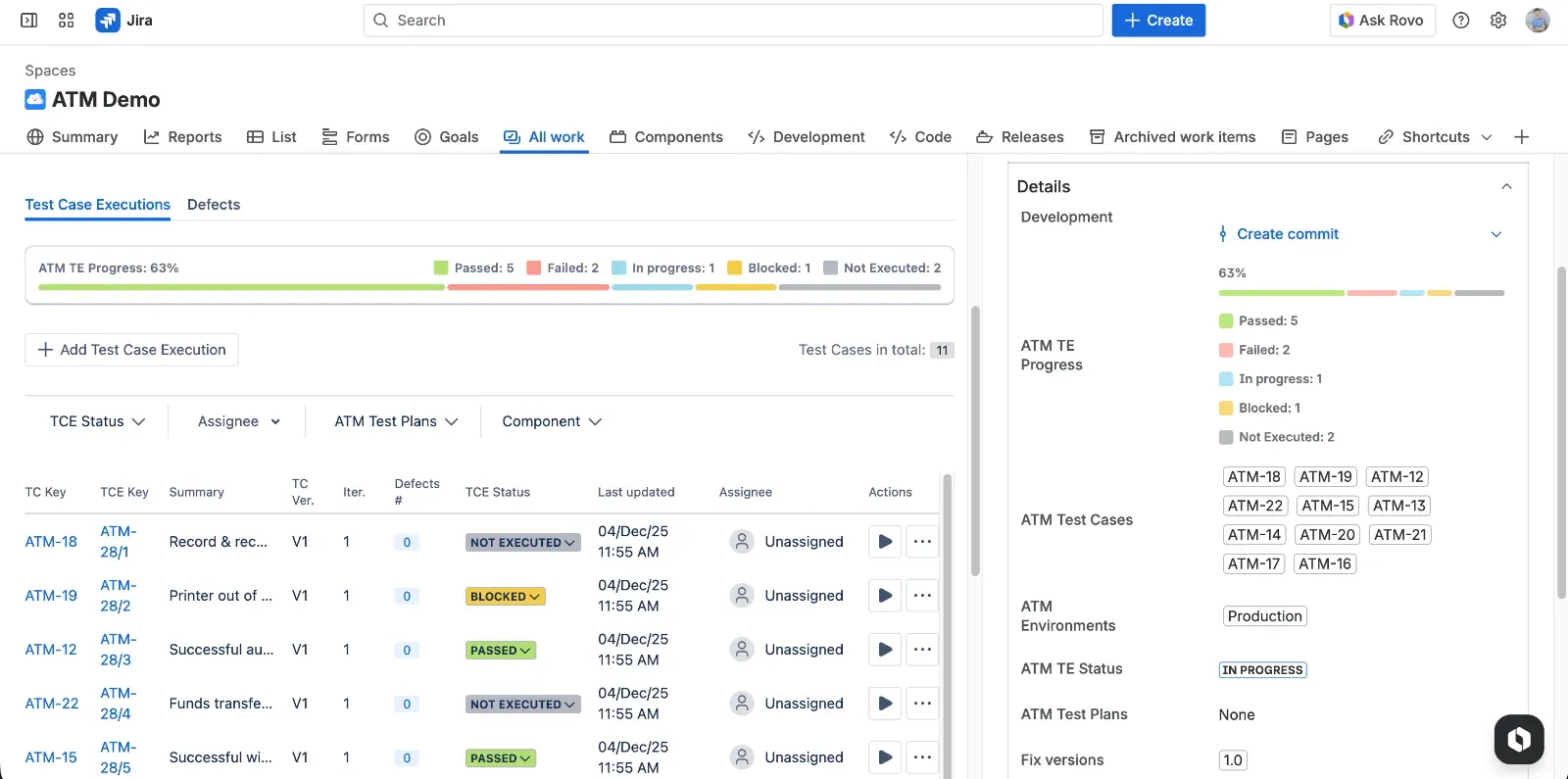
Appsvio Test Management is a Jira Cloud-native test management app built on Atlassian Forge. Specifically, it is designed for cross-functional teams that want to plan, execute, and report tests directly on Jira work items, without leaving the product. Thanks to this approach, it fits agile and cross-project testing, from simple smoke suites to structured regression cycles in one unified workflow.
Key features
- Native Jira experience: tests, requirements, executions, and defects are Jira issues, so teams keep their existing ways of working.
- End-to-end traceability: link requirements, test cases, test executions and defects, and report coverage and gaps in real time.
- Test Case Architect with Rovo: generate and refine test steps using Atlassian Rovo to speed up test design while keeping control.
- Cross-project testing setup: manage environments, test plans and test suites that span multiple Jira projects in one hub.
- Jira-centric reporting: traceability and test coverage reports focused on release readiness, not only execution statistics.
- Atlassian-managed data residency: data stays in Atlassian infrastructure with data residency options and “Runs on Atlassian” trust signals (no data egress).
Key advantages
- Jira-native test management that keeps testers inside standard Jira issues and workflows.
- Modern, cloud-designed UX that feels close to standard Jira Cloud UI.
- Full traceability from requirements to defects, enabling impact analysis and confident releases.
- Built-in Rovo Test Case Architect to help design test cases more efficiently.
- Atlassian-managed data residency in multiple regions, important for regulated sectors.
- No data egress and a “Runs on Atlassian” badge, which increases trust around security and architecture.
INFO
This is the only one test management tool on this list that stores all customer data on Atlassian.
Key disadvantages
- No public REST API yet (planned but still a gap for advanced automation and integrations).
- No Cucumber support at the moment, which limits BDD workflows based on Gherkin scenarios.
Both features are on the roadmap and will arrive in early 2026.
Build a consistent, scalable testing process that grows with your team.
Manage test cases and execution without added complexity.
Get free trialXray
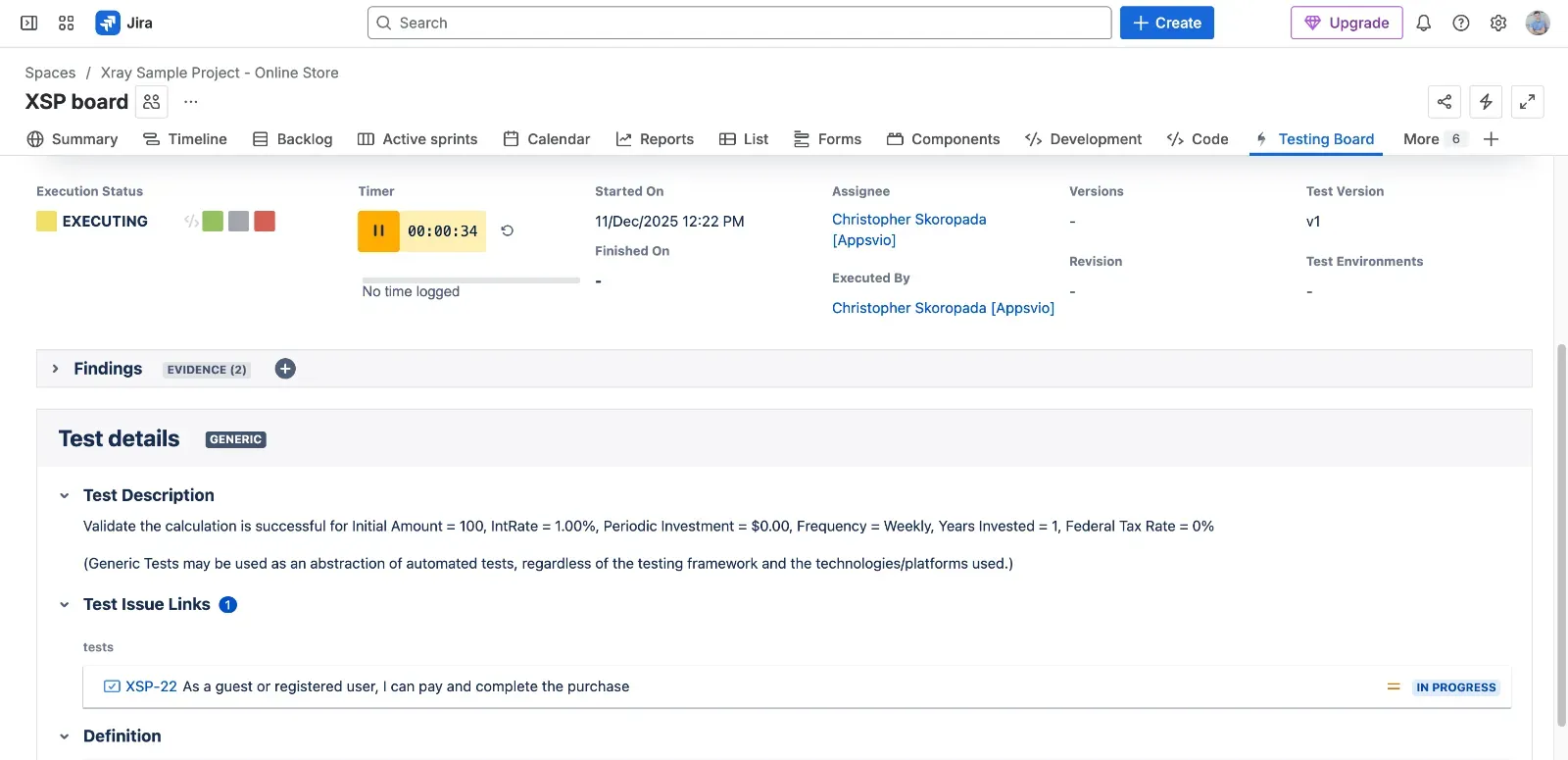
Xray is a comprehensive test management solution for Jira that supports manual, automated, and BDD tests in one ecosystem. It is primarily aimed at larger or more mature teams that need strong structure for large test repositories. As a result, users must be ready to invest in configuration and governance.
Key features
- Manual test case design with reusable steps and parameters.
- Built-in support for automated tests and BDD (e.g., Cucumber) synchronized with Jira.
- Rich hierarchical organization for large test repositories (test sets, plans, executions).
- Advanced traceability from requirements to tests and defects.
- Wide integration options via REST API and CI/CD pipelines.
Key advantages
- Jira-based test management tool that integrates deeply with Jira issues.
- Manual, automated, and BDD testing in one place, which simplifies governance.
- Powerful organization structures suited for very large and long-living test repositories.
- Mature ecosystem and market presence, with community knowledge and partner support.
Key disadvantages
- Extremely expensive after pricing updates in 2025, especially at scale.
- Steep learning curve and complex configuration, which can slow onboarding.
- Excessive flexibility may make the tool difficult to adopt for teams needing structured, more predefined workflows.
- Unclear user experience and navigation issues reported by users.
- Reports that are hard to use, with many not-intuitive options.
- Feature gaps and migration overhead between Server/Data Center and Cloud versions.
- Performance problems at scale in large instances.
- Data is stored in Xray’s databases, which some teams treat as an extra compliance consideration.
Zephyr
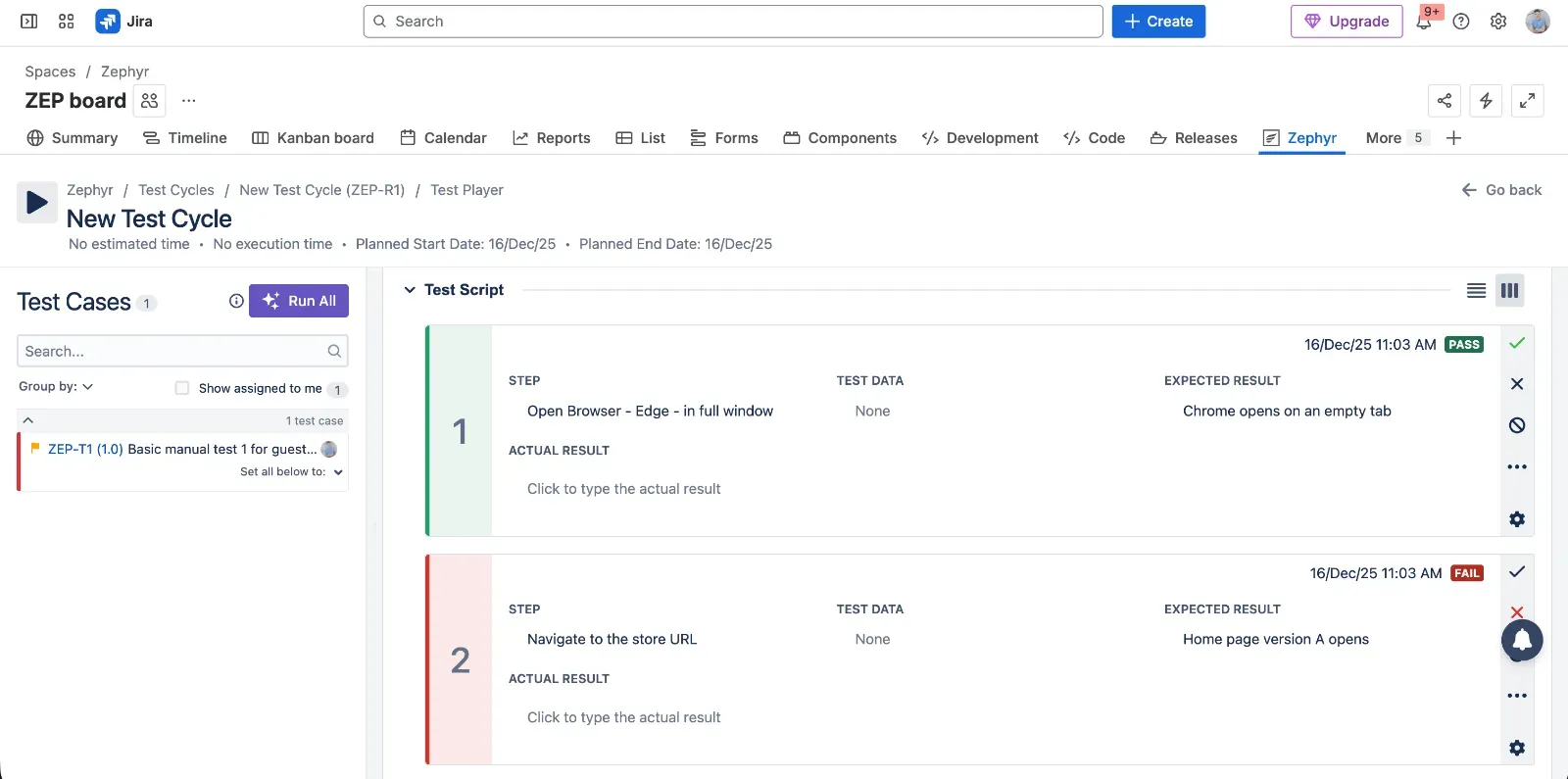
Zephyr for Jira is a test management product from SmartBear. It targets teams that want both manual and automated testing, plus integration with broader SmartBear tooling. It is suitable for organizations that accept a more traditional UI in exchange for broad deployment options (including on-premise).
Key features
- Creation of test cases with grouping into test cycles and linking to Jira issues.
- Support for executing tests and capturing detailed results.
- Options for on-premises or data-center deployments in addition to cloud.
- Integration with CI/CD pipelines and automation frameworks through REST API.
- Reporting on execution status and coverage across cycles and releases.
Key advantages
- Zephyr allows creation of test cases, grouping into test cycles, linking with issues, executing tests and capturing results.
- Flexibility in deployment and scale, including on-premises / data-center options.
- Support for test automation, including CI/CD integration and REST API.
Key disadvantages
- Not well integrated with Jira from a UX point of view, with separated views that can feel disconnected.
- Extremely expensive after pricing updates in 2025.
- Usability and UI/UX can feel clunky compared to modern Jira-native apps.
- Customization, parameterization and advanced testing features may be weaker than in other enterprise tools.
- Performance may slow down with large test libraries or many executions.
TestLink
TestLink is a classic, open-source test management system that teams can self-host. Typically, it is best for organizations that are comfortable operating their own infrastructure and prefer predictable, no-license-fee software, even at the cost of a dated user interface and limited Jira integration.
INFO
TestLink is not inherently a cloud-native software as a service (SaaS) product; rather, it is an open-source, web-based test management tool that you host yourself.
Key features
- Web-based test management that teams can install on their own servers.
- Basic support for test suites, test cases, requirements, and execution records.
- Flexible customization through direct access to source code.
- Simple reporting for coverage and execution progress.
Key advantages
- Free, open-source, and self-hosted, with no subscription fees.
- Simple and predictable functionality that is easy to understand.
- Customizable because it is open source and can be adapted by in-house developers.
- A reasonable step up for teams moving away from spreadsheets and documents.
Key disadvantages
- Outdated, cluttered, and unintuitive UI that feels far from modern tools.
- No native integration with Jira, which creates extra synchronization work.
- Lack of modern testing capabilities expected by agile teams.
- Requires in-house hosting and maintenance, including backups and upgrades.
- Development updates are slow compared to active commercial products.
AgileTest
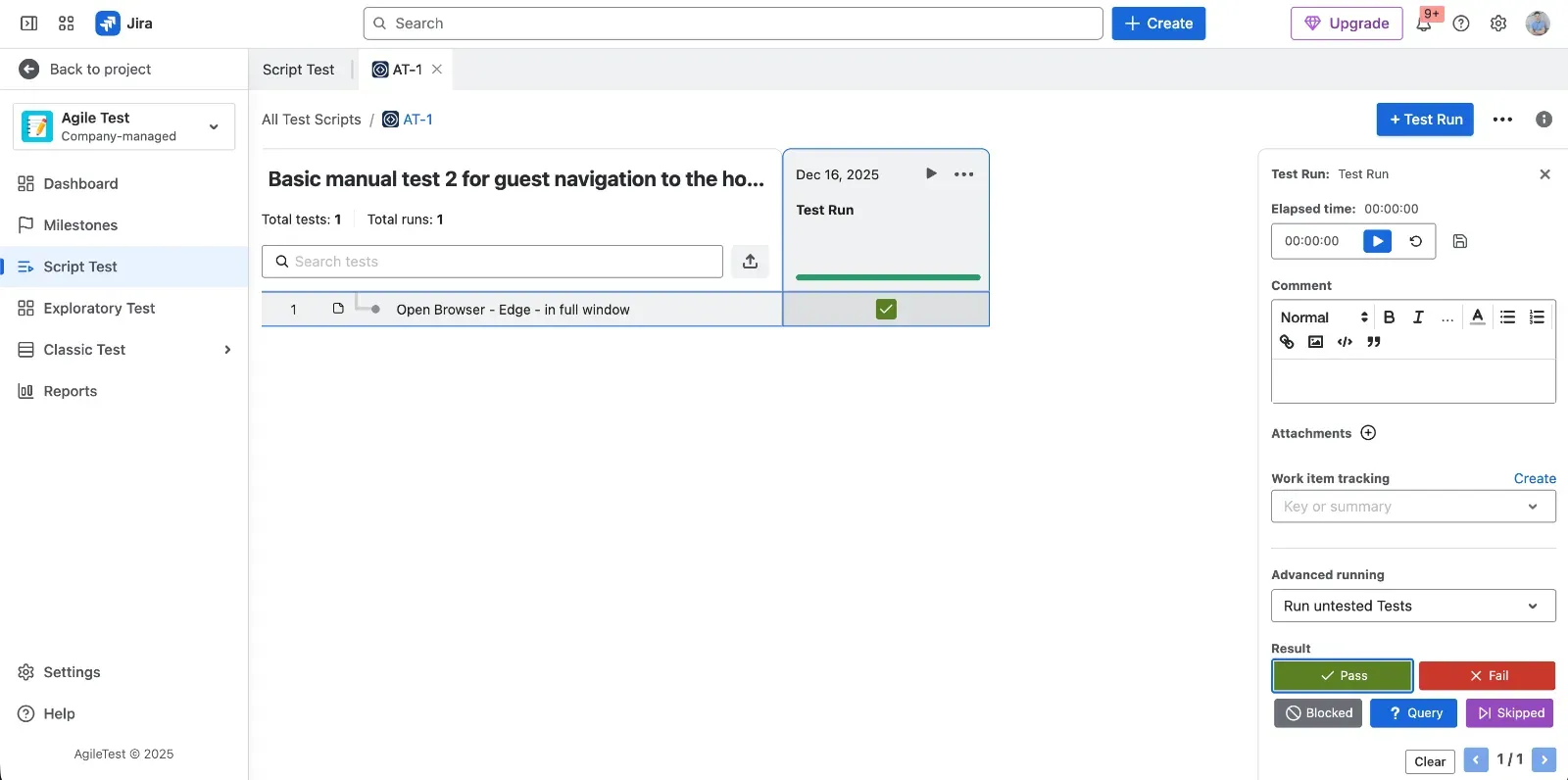
AgileTest is a Jira-native test management app focused on simplicity and intuitive usage. As such, it targets agile teams that want to keep testing lightweight and directly inside Jira issues, avoiding complex ALM layers.
Key features
- Jira-native test entities that behave like standard Jira issues.
- Simple flows for test execution and defect logging.
- Built-in coverage and traceability views aligned with Jira projects.
- Lightweight reporting appropriate for agile teams.
Key advantages
- Truly Jira-native and intuitive UI that fits standard Jira patterns.
- Easy test execution and defect logging during everyday work.
- Built-in coverage and traceability views that show relationships without heavy configuration.
- Good vendor support reputation according to the collected feedback.
Key disadvantages
- Feature-light compared to enterprise-grade tools, which may limit complex programs.
- Reporting is basic and lacks advanced analytics for stakeholders.
- Repository management can become messy at scale if governance is weak.
- Not ideal for compliance-heavy or regulated industries that need strict process control.
- Some users find the UI too simplistic for advanced use cases.
QMetry
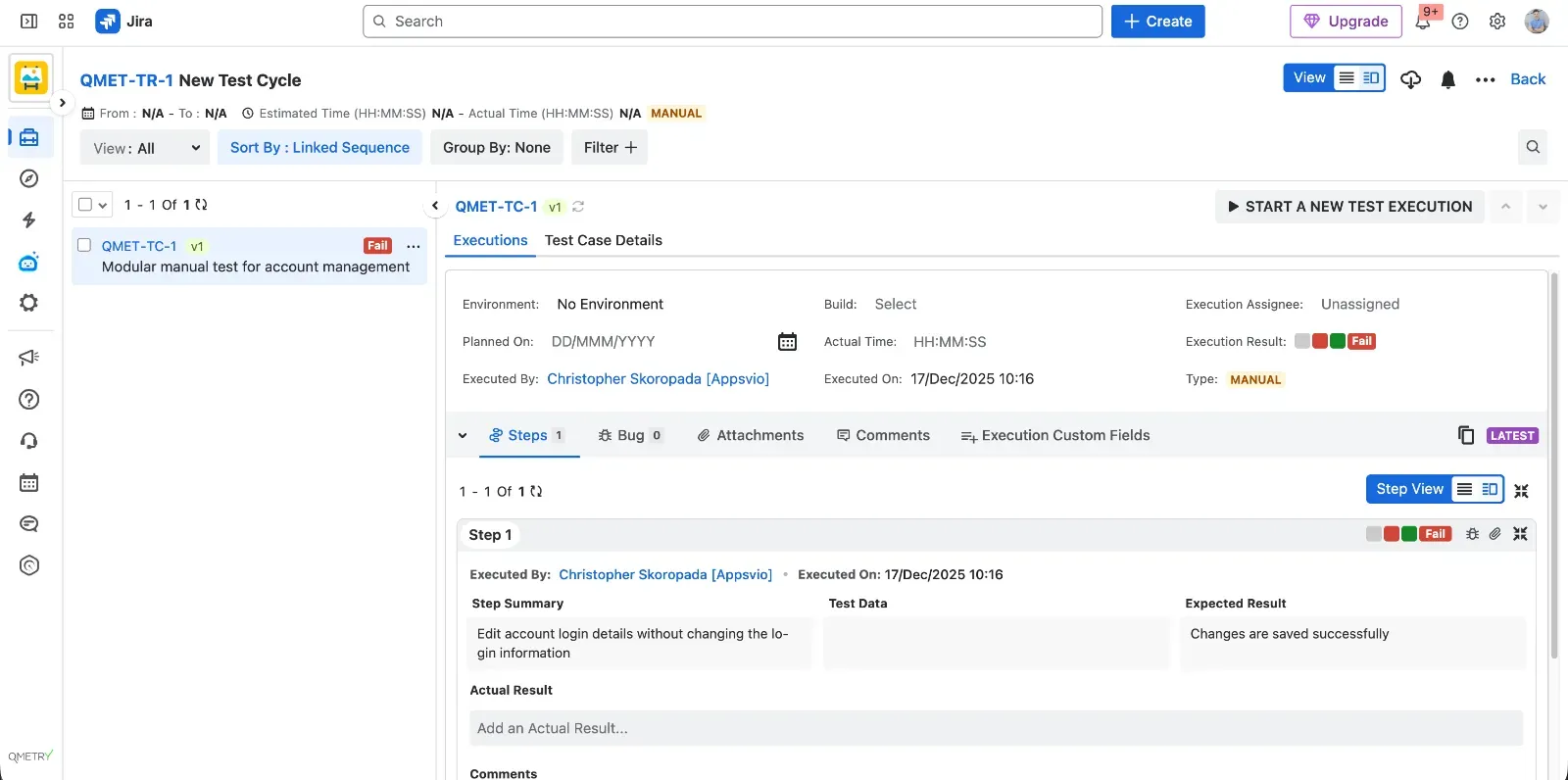
QMetry is a feature-rich and scalable Jira-native test management app. Consequently, it is aimed at larger organizations that need advanced automation integration, risk-based testing, and rich reporting on top of Jira.
Key features
- Comprehensive test case, plan, and execution management inside Jira.
- Strong automation and CI/CD integrations that centralize results.
- Configurable dashboards and analytics for management reporting.
- Support for requirements traceability and risk-based testing approaches.
Key advantages
- Very feature-rich and scalable Jira-native test management.
- Strong automation and CI/CD integrations for mature pipelines.
- Rich reporting and customizable dashboards for different stakeholders.
- Support for requirements traceability and risk-based testing practices.
Key disadvantages
- Steep learning curve and complex UX, especially for new users.
- Performance issues reported in large or complicated Jira environments.
- Automation integration is strong but setup can be too technical for some teams.
- UI feels outdated compared to newer Jira apps.
- Higher cost relative to simpler Jira add-ons.
QAlity Plus
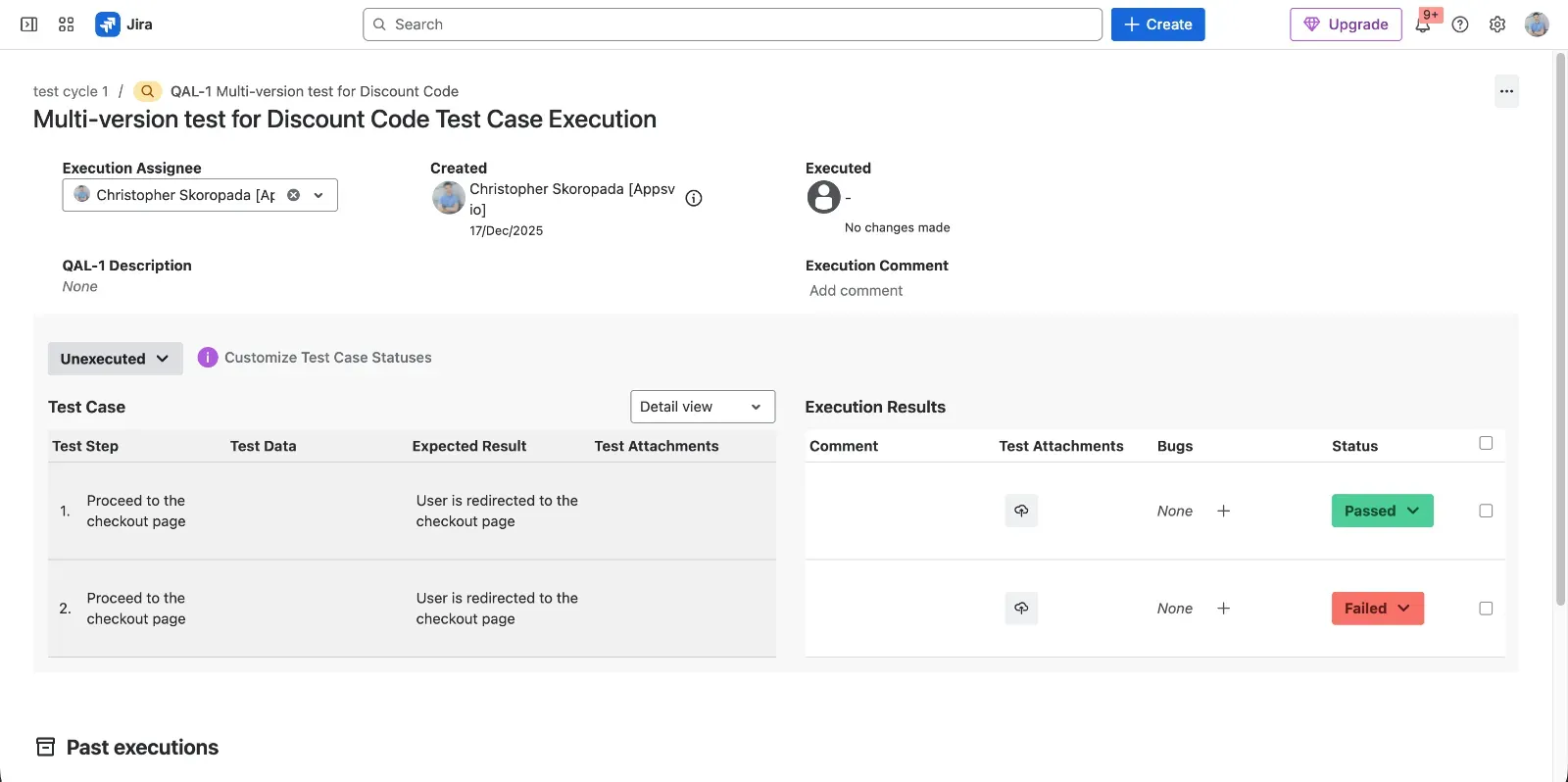
QAlity Plus is a lightweight test management app for Jira that focuses on simplicity. Therefore, it is best suited for small teams or squads that run mainly manual tests and want to avoid heavy configuration and overhead.
Key features
- Simple test case and execution management inside Jira.
- Lightweight repository structure for small and mid-sized projects.
- Basic reporting focused on manual runs.
Key advantages
- Extremely simple and intuitive for both testers and non-testers.
- Lightweight feature set that fits small or agile teams that do not need complex structures.
- Very affordable and cost-effective for budget-conscious teams.
Key disadvantages
- UI/UX is seen as outdated or unintuitive compared to newer tools.
- Performance may become slow on large datasets.
- Steep learning curve for new testers in bigger Jira instances.
- Non-native feel inside Jira compared to more deeply integrated apps.
TestRay
TestRay is a test management app that brings ALM-like capabilities into Jira. Ideally, it targets teams that want rich configuration and reporting options around their test process and are willing to accept a heavier tool in exchange for flexibility.
Key features
- Advanced planning and structuring of tests and suites.
- Strong focus on traceability and linking to Jira issues.
- Mature reporting views for different roles.
- High level of customization for workflows and fields.
Key advantages
- Rich ALM-like capabilities for managing complex testing lifecycles.
- Excellent traceability of requirements, tests, and defects.
- Mature reporting for managers and quality leaders.
- Highly customizable to match specific processes.
Key disadvantages
- UI/UX perceived as outdated or unintuitive.
- Performance can become slow on large datasets.
- Steep learning curve for new testers.
- Non-native feel inside Jira compared to lighter Forge-based apps.
RTM
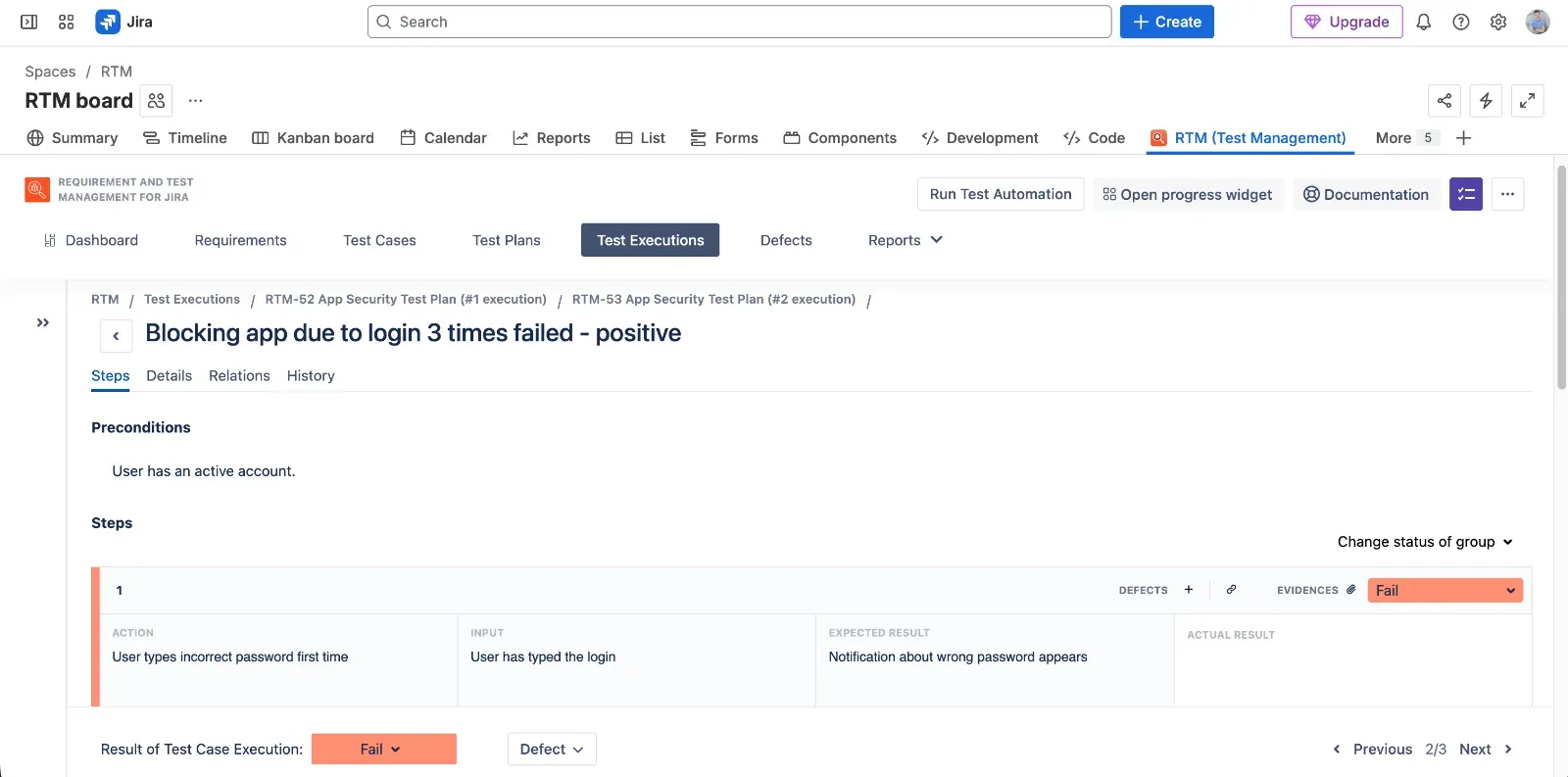
RTM by Deviniti is a Jira app that combines requirements and test management. It is positioned for teams that want to keep specification and tests in one place and need basic execution and progress tracking, especially on Jira Server and Cloud.
Key features
- Management of requirements and tests inside Jira projects.
- Test execution progress bar for quick visual status.
- Combined view of requirements, test cases, and executions.
- Basic documentation and guides maintained by the vendor.
Key advantages
- Practical test execution progress bar that makes status easy to understand.
- Test case AI generation after connecting to OpenAI via an API key stored in the app.
- Documentation that is up to date, which helps onboarding.
Key disadvantages
- No Test Case Steps versioning feature.
- Cannot execute a single Test Case independently in some flows.
- No Test Case Execution iteration feature.
- Easy to break the relation between Test Case and Test Execution by deleting the Jira link.
- Cannot preview test data directly from the issue view.
- No dark mode support.
- Test case data stored on the vendor’s server.
- End-user data stored indefinitely after app uninstallation.
- Vendor might record user activity using PostHog, which some teams may see as a tracking concern.
TestFLO
TestFLO is a Jira-based test management tool from Deviniti. It focuses mainly on on-premise and data center deployments and is oriented toward teams that need integration with automation frameworks such as Cucumber and classic CI tools.
Key features
- Support for Cucumber, JUnit, TestNG, and NUnit test automation results.
- Integration with Jira issues for traceability.
- Reporting for traceability, test plan execution, and test plan iterations.
- Ready-to-use integration with Jenkins and Bamboo.
Key advantages
- Broad support for popular test automation frameworks (Cucumber, JUnit, TestNG, NUnit).
- Good integration with Jira issues for linking tests and defects.
- Traceability, Test Plan Execution, and Test Plan Iterations reports.
- Ready-to-use integration with Jenkins and Bamboo.
Key disadvantages
- No Cloud version available.
- It appears not to be actively developed by the vendor.
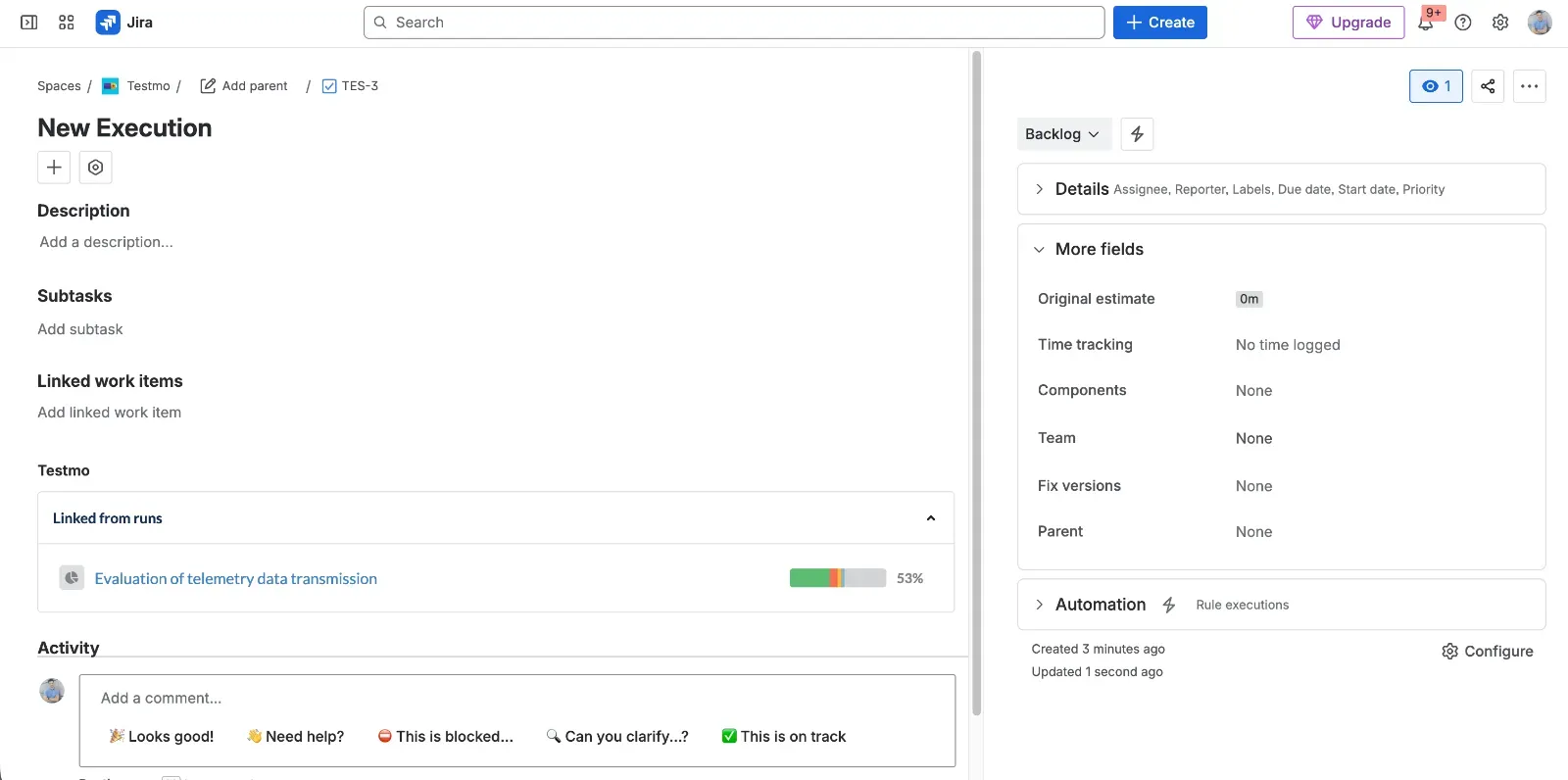
Testmo
Testmo is an external SaaS test management platform with a Jira integration app. It targets teams that are ready to use a dedicated QA hub outside Jira, combining manual, automated, and exploratory testing in one place, while still linking back to Jira issues.
Key features
- Unified hub for manual, automated, and exploratory testing.
- Structured workflows for real-world QA processes and releases.
- Fast, modern UI optimized for power users.
- Jira integration via an add-on to synchronize issues and defects.
Key advantages
- Good structure for real-world QA workflows with releases and suites.
- Modern, fast, and “lightweight-feeling” user interface.
- Unified test management (manual, automation, exploratory) in one hub.
Key disadvantages
- Not Jira-native – it is an external SaaS product connected by an add-on.
- Feature gaps and “limited features” in some areas (based on G2 and other reviews).
- May be overkill for very simple teams that only need basic manual test lists.
How to Choose the Right Tool
Looking across the tools, a few patterns appear:
Jira-native vs external hub
ATM, AgileTest, QMetry, QAlity, TestRay, RTM, and TestFLO are Jira-centric. Xray and Zephyr are deeply integrated but often feel like heavy frameworks on top of Jira. Testmo is a separate hub with a Jira connector. Choosing between these options is often about whether you want Jira to stay the single source of truth, or you accept context switching to a separate QA platform.
Process complexity and maturity
The complexity of the testing process directly influences which tool is best. For instance, for straightforward or flexible testing, lightweight tools like ATM, AgileTest, or QAlity are ideal. This allows testers to start quickly without a difficult setup. In contrast, processes that require strict tracking and advanced reporting may need Xray, Zephyr, QMetry, or TestRay. While powerful, these solutions take more time to master and cost more to run.
Manual vs automation-heavy testing
Xray, Zephyr, QMetry, TestFLO and Testmo offer rich automation integrations. ATM currently focuses on strong Jira-native workflows, traceability, and UX, with automation extending via Jira and platform capabilities, while some specialized automation features (like Cucumber) are still on the roadmap.
Governance and compliance
Data residency, hosting model, and who stores test data matter more every year. A Forge-based, “Runs on Atlassian” app such as ATM keeps data inside Atlassian’s infrastructure, which reduces the number of vendors in the compliance chain. Self-hosted options like TestLink shift responsibility fully to the team. In contrast, other apps store data on their own infrastructure, which may introduce additional residency and retention considerations.
In practice, there is no universal winner. However, if your strategy is to keep Jira as the main collaboration space and reduce integration overhead, then modern, Jira-native tools become very attractive. Appsvio Test Management (ATM) stands out here as a Forge-based, UX-friendly option with strong traceability and clear trust signals, while still openly acknowledging current gaps like the missing REST API and Cucumber support.
Need Help Choosing the Right Jira Test Management Tool?
Get expert help choosing the right Jira test management tool for your team.
Free consultationFrequently Asked Questions
Related posts